
 Login
Login


In the modern fast-paced business world, being “busy” is often mistaken for being productive. However, if your day is consumed by filing cabinets, lost invoices, and the “print-sign-scan” cycle, you aren’t just busy—you’re being held back by paper.
The DocuMate Scanner app from Snappii is designed to bridge the gap between traditional paperwork and a streamlined digital future. Here is a look at the major pain points of a paper-heavy office and how the DocuMate Scanner app provides a permanent solution.
1. The High Cost of Physical Storage
The Pain Point: Filing cabinets don’t just take up physical space; they take up your budget. Estimates suggest that using paper documents can cost a business over $1 per sheet when accounting for purchasing, filing, and the space required to house it all.
The DocuMate Scanner app Solution:
- Portable Digitization: Turn your smartphone into a high-quality scanner that fits in your pocket, eliminating the need for bulky hardware.
- Digital Filing Cabinet: Categorize and store scans in intuitive folders directly within the app.
2. The “Needle in a Haystack” Search
The Pain Point: Employees can lose up to 25% of their productivity simply searching for documents. On average, organizations lose one out of every 20 documents, and recreating a single lost file can take up to 25 hours.
The DocuMate Scanner app Solution:
- AI-Powered Smart Search: Find any invoice, receipt, or contract instantly using keywords. You can locate what you need with just a few letters, rather than scrolling through endless galleries.
- OCR Technology: The app’s Optical Character Recognition (OCR) converts scanned text into searchable, editable content.
3. The “Print-Sign-Scan” Bottleneck
The Pain Point: Traditional approval processes are slow. Moving a document from one desk to another for a physical “wet ink” signature creates delays that can stall projects for days.
The DocuMate Scanner app Solution:
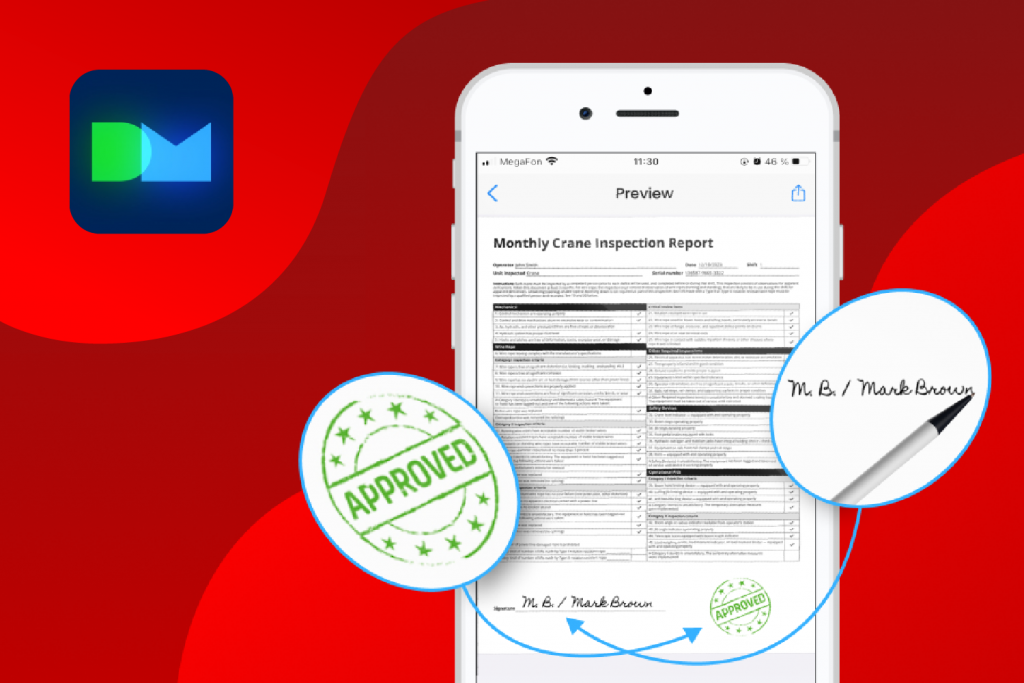
- Integrated E-Signatures: Sign, initial, and stamp documents directly on your screen.
- Instant Sharing: Once signed, share documents as PDFs via email or cloud services like Google Drive and Dropbox in seconds.
4. Security and Data Risks
The Pain Point: Physical documents are vulnerable to loss, theft, and natural disasters like fire or floods. Sensitive client information sitting on a desk is a major compliance risk.
The DocuMate Scanner app Solution:
- Privacy Controls: You can apply PIN codes to specific sensitive documents or the entire app to ensure only authorized eyes see your information.
5. Professional Image and Accuracy
The Pain Point: Low-quality scans with shadows, skewed edges, or even your own fingertips in the shot look unprofessional to clients.
The DocuMate Scanner app Solution:
- Auto-Enhancement: The app automatically detects document edges, corrects perspective, and removes shadows to ensure every scan is crisp and readable.
- PDF Report Generation: Assemble multiple scans, photos, and notes into professional PDF reports for instant sharing with clients or management.
Ready to reclaim your desk?
Stop wasting time on manual filing and start focusing on what grows your business. Download the DocuMate Scanner app today and take the first step toward a more efficient, paper-light office.


